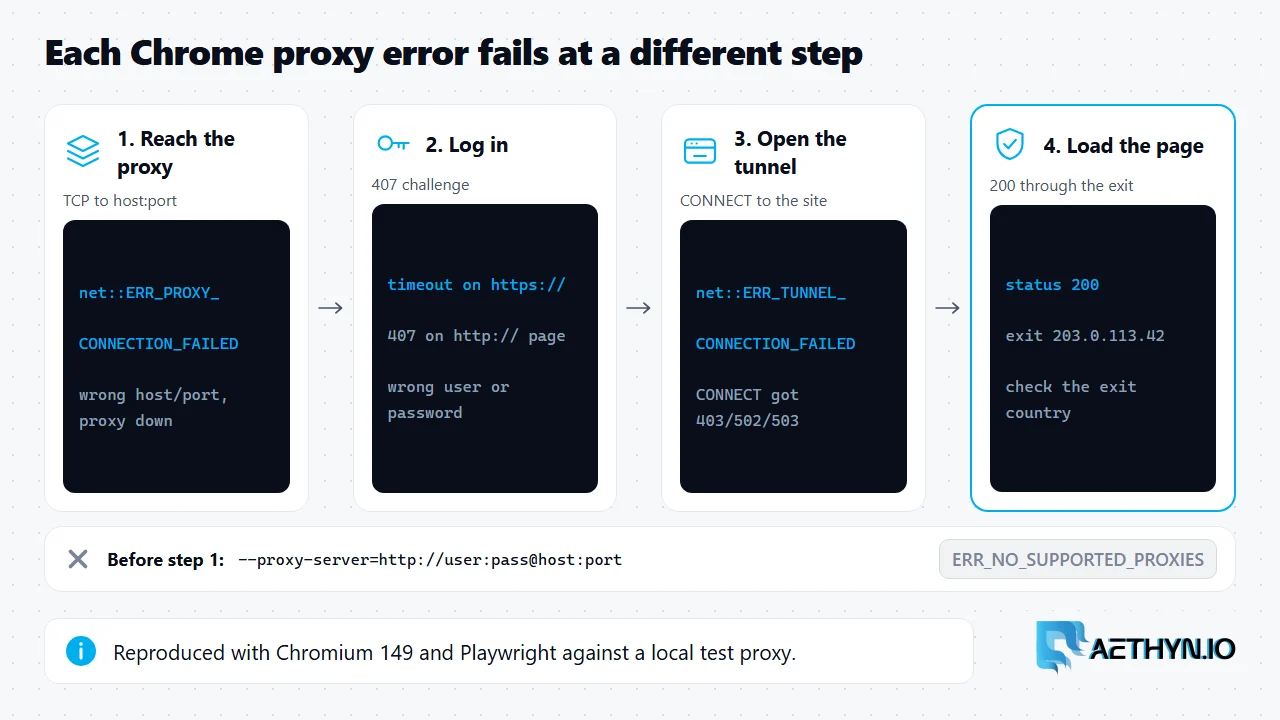
Short answer: ERR_PROXY_CONNECTION_FAILED and ERR_TUNNEL_CONNECTION_FAILED are Chrome network errors that fail at two different steps of a proxied request, so they need different fixes. ERR_PROXY_CONNECTION_FAILED means Chrome could not connect to the proxy server at all: the request never got as far as the proxy, usually because of a wrong host or port, a proxy that is down, or a firewall. ERR_TUNNEL_CONNECTION_FAILED means Chrome did reach the proxy and asked it to open a tunnel to an HTTPS site with a CONNECT request, and the proxy replied with an error such as 403, 502 or 503 instead of 200. A third failure catches people out: when the proxy rejects the login with 407, Chromium does not show either error. It waits for credentials, and an automated browser simply times out. We reproduced all three with Playwright and Chromium against a local test proxy.
Which step failed
| What you see | Step that failed | Most likely cause | Fix |
|---|---|---|---|
net::ERR_PROXY_CONNECTION_FAILED | Connecting to the proxy | Wrong host or port, proxy down, firewall | Check the host and port; test with curl -x |
net::ERR_TUNNEL_CONNECTION_FAILED | CONNECT to the HTTPS site | Proxy refused the tunnel (403, 502, 503) | Check the target is allowed and the upstream is up; retry later for 502 or 503 |
Navigation timeout on https:// | Proxy login | 407 on CONNECT: wrong username or password | Fix the credentials; see proxy error 407 |
Page loads with status 407 on http:// | Proxy login | Same 407, but on a plain-HTTP URL | Fix the credentials |
net::ERR_NO_SUPPORTED_PROXIES | Parsing the proxy setting | Username and password inside --proxy-server | Pass credentials separately; see Selenium and Puppeteer proxy auth |
Why a wrong password looks like a hang
A proxy that requires a login answers an unauthenticated request with 407 Proxy Authentication Required. For an HTTPS page, Chrome sends CONNECT first and gets the 407 before any tunnel exists. In an interactive browser that is where a login dialog appears. In an automated one there is nobody to fill it in, so after Playwright's supplied credentials are rejected the navigation sits there until your timeout fires, and the error you log is a timeout rather than a network error. That sends people looking for a slow site or a bad network when the real problem is a typo in the password. If a proxied HTTPS page times out every time while the same proxy works in curl, compare the credentials first. Our tests also showed the plain-HTTP case behaves differently: the page loads and returns status 407, so check response.status() rather than assuming no exception means success.
A Playwright setup that surfaces the right error
Pass the username and password as separate fields, not inside the server URL, and keep the error message.
Code Snippetconst { chromium } = require("playwright");

(async () => {
  const browser = await chromium.launch({
    proxy: {
      server: "http://proxy.aethyn.io:2099", // no login in the server URL
      username: "aethyn-XXXXX-country-us",
      password: "PASSWORD",
    },
  });
  const page = await browser.newPage();
  try {
    const res = await page.goto("https://httpbin.org/ip", { timeout: 30000 });
    console.log(res.status(), await page.textContent("body"));
  } catch (err) {
    // net::ERR_PROXY_CONNECTION_FAILED -> the proxy host or port is unreachable
    // net::ERR_TUNNEL_CONNECTION_FAILED -> the proxy answered CONNECT with an error
    // Timeout on an https:// URL       -> often a rejected login (407 on CONNECT)
    console.error(err.message.split("\n")[0]);
  } finally {
    await browser.close();
  }
})();
The code on this page was run on November 22, 2026 against a local stand-in proxy that checks the login (Chromium 149, requests 2.34, Selenium 4.53, Puppeteer 25.18), not against live targets or the Aethyn gateway. Replace aethyn-XXXXX and PASSWORD with your own credentials.
SOCKS5 and Chrome
Chromium cannot authenticate to a SOCKS5 proxy. Launching Playwright with a socks5:// server and a username and password fails immediately with "Browser does not support socks5 proxy authentication." Aethyn's SOCKS5 residential proxies use the same credentials as HTTP, so point browsers at the HTTP port (2099 on Premium, 5499 on Elite) and keep SOCKS5 for clients that support it, such as curl and aiohttp. Chrome's own proxy settings are covered in Chrome proxy settings.
Chrome proxy error questions
What does ERR_PROXY_CONNECTION_FAILED mean?
What does ERR_TUNNEL_CONNECTION_FAILED mean?
Why does a wrong proxy password time out instead of erroring?
Can Chrome use a SOCKS5 proxy with a username and password?
Guides, integrations & docs
Continue reading
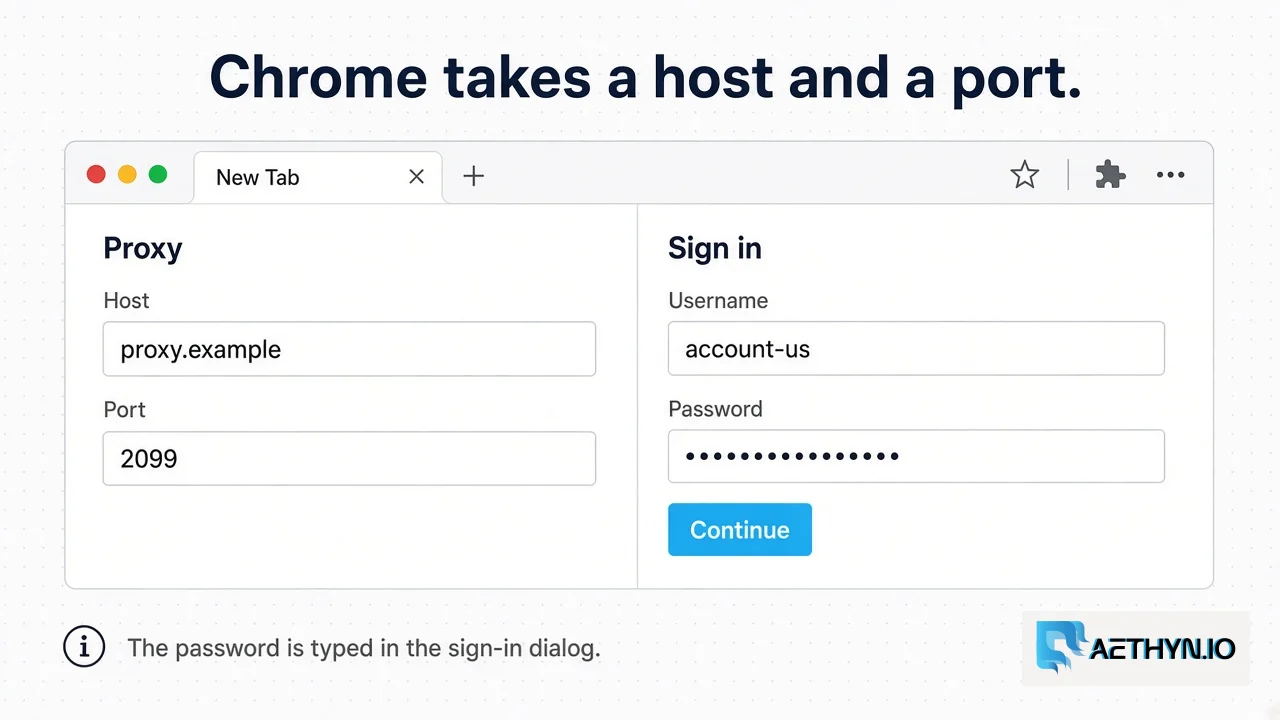
Chrome Proxy Settings: Host, Port, and the Sign-in Dialog (2026)
Chrome takes a proxy host and port. It does not take the Aethyn password in that field. The password is entered when the gateway asks.
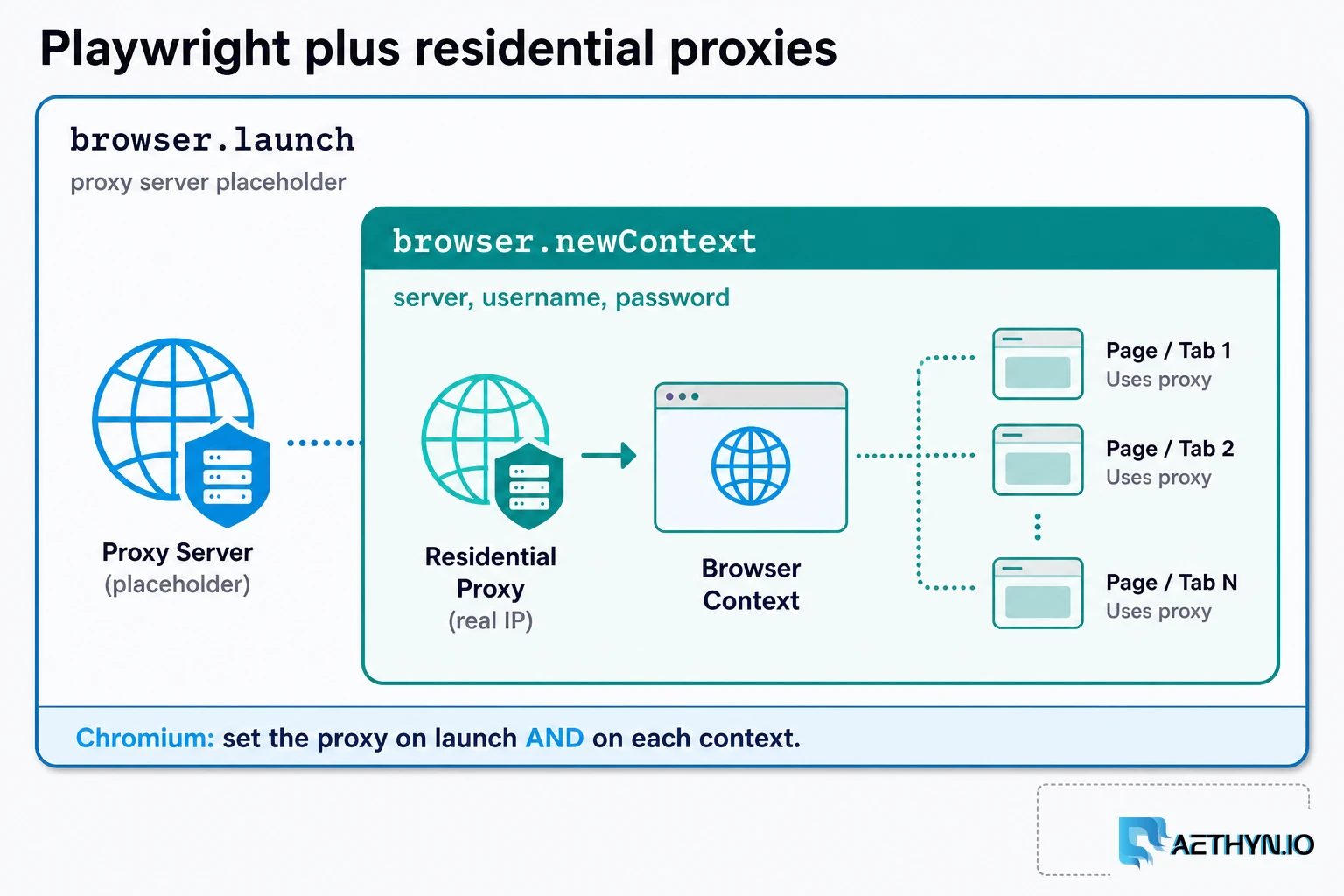
How to Use Residential Proxies with Playwright (2026)
A Playwright residential proxy is a browser context whose traffic exits through an ISP-assigned household IP. Credentials go in fields, rotation is a new context, and locale must match the exit.
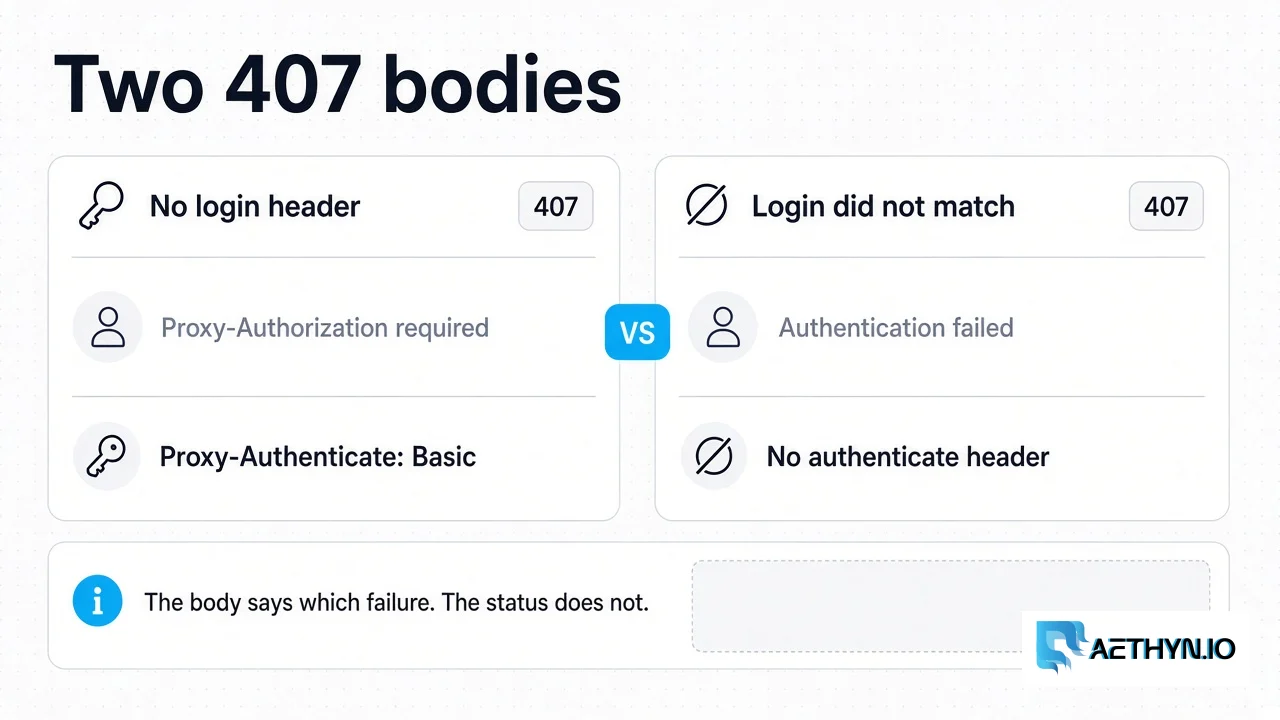
HTTP 407 Proxy Authentication Required: What the Gateway Returns
Aethyn returns 407 for a missing login or a failed login. A spent bandwidth quota is 403, and the gateway does not check an IP allowlist.
One credential, HTTP and SOCKS5
Premium HTTP on 2099, SOCKS5 on 1099. Elite HTTP on 5499, SOCKS5 on 3499. Premium from €2.00/GB.