Use CaseResidential Proxies

AI Browser Agents Residential Proxies: Avoid Detection & Scale Safely

AEWritten by Aethyn Editorial·Reviewed by J Shirisha·Updated July 2, 2026
Category
Elite Access
Complexity
High Performance
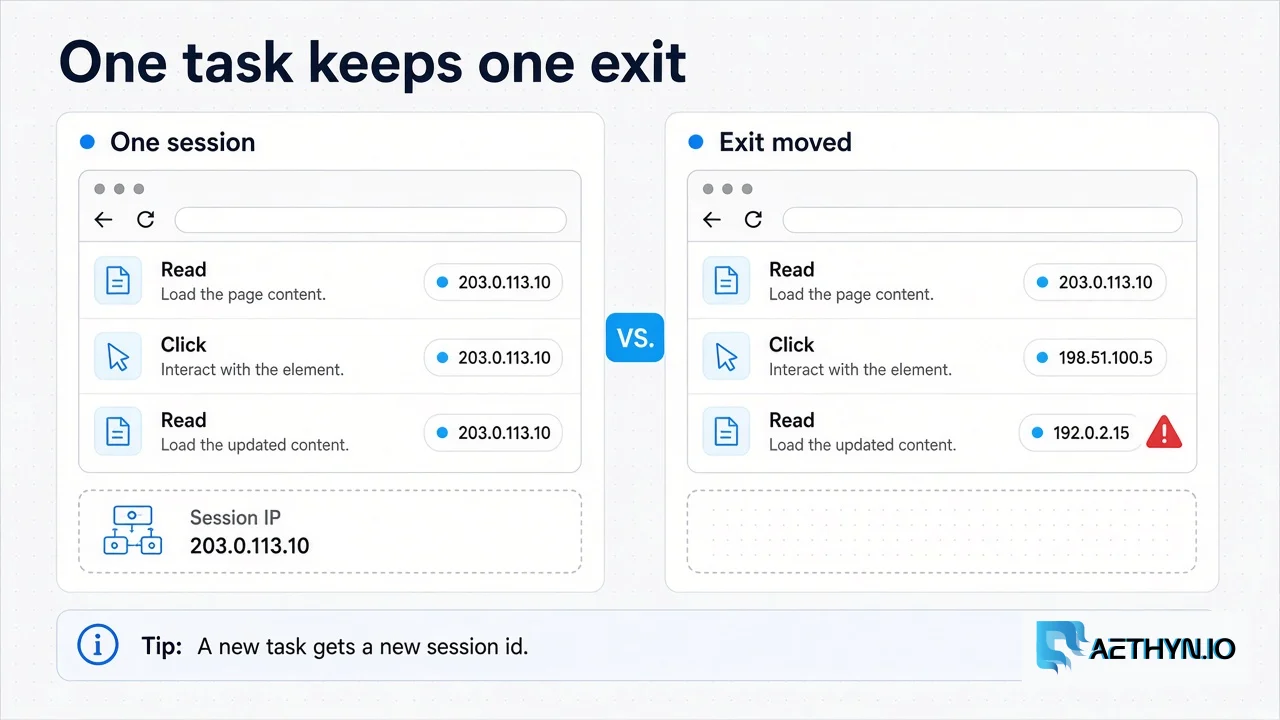
One agent task reading and clicking through a single IP, contrasted with the same steps leaving from three different IPs

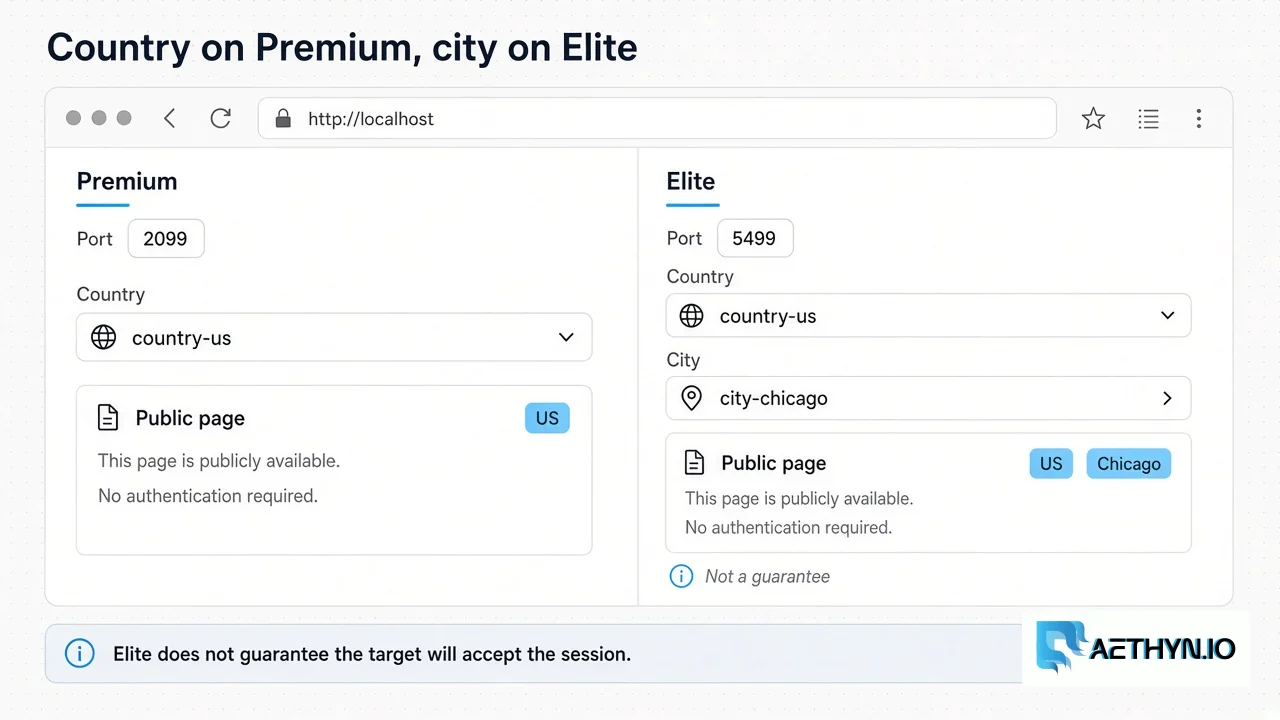
A residential proxy for AI agents is the household exit one agent task keeps for its whole run. The agent opens a browser or an HTTP client, checks the country, reads a public page, and closes. The next task gets a new session id. Rotating under an open task moves the IP while cookies, and any timezone taken at launch, stay on the first address. Premium HTTP on port 2099 is the country pool. Elite HTTP on port 5499 adds a supported city or ISP when the page scores the exit, and it does not guarantee acceptance. Sticky holds a rotating-pool IP for 1–1440 minutes, default 30. That is long enough for one task, and it is not a dedicated address. The local-browser how-to is the Browser MCP docs and the two existing MCP articles. This page is the buying decision: which pool, and one session per task. Public pages only. No login automation and no challenge solver.

Key Benefits

One sticky session id for the whole task
A new session id when the next task should leave from somewhere else
Premium country targeting on port 2099
Elite city and ISP targeting on port 5499 when the page scores the exit
An exit check before the page is stored

The Challenges We Solve

An open task that rotates looks like several visitors
A timezone or WebRTC value taken at launch stays on the first IP
A 200 challenge page is not the document the agent asked for
Reusing a session id inside its window returns the same exit
City targeting on Premium is refused
Premium pane on port 2099 with country-us, and Elite pane on port 5499 with country-us and city-chicago
Premium is the country pool. Elite adds city or ISP and does not guarantee acceptance.

How It Works

1

Start the task with a new session id and a lifetime that covers the run.

2

Read an IP-lookup URL and confirm the country before the target page.

3

Keep every step of that task on the same username.

4

Close the task. The next task uses a new session id.
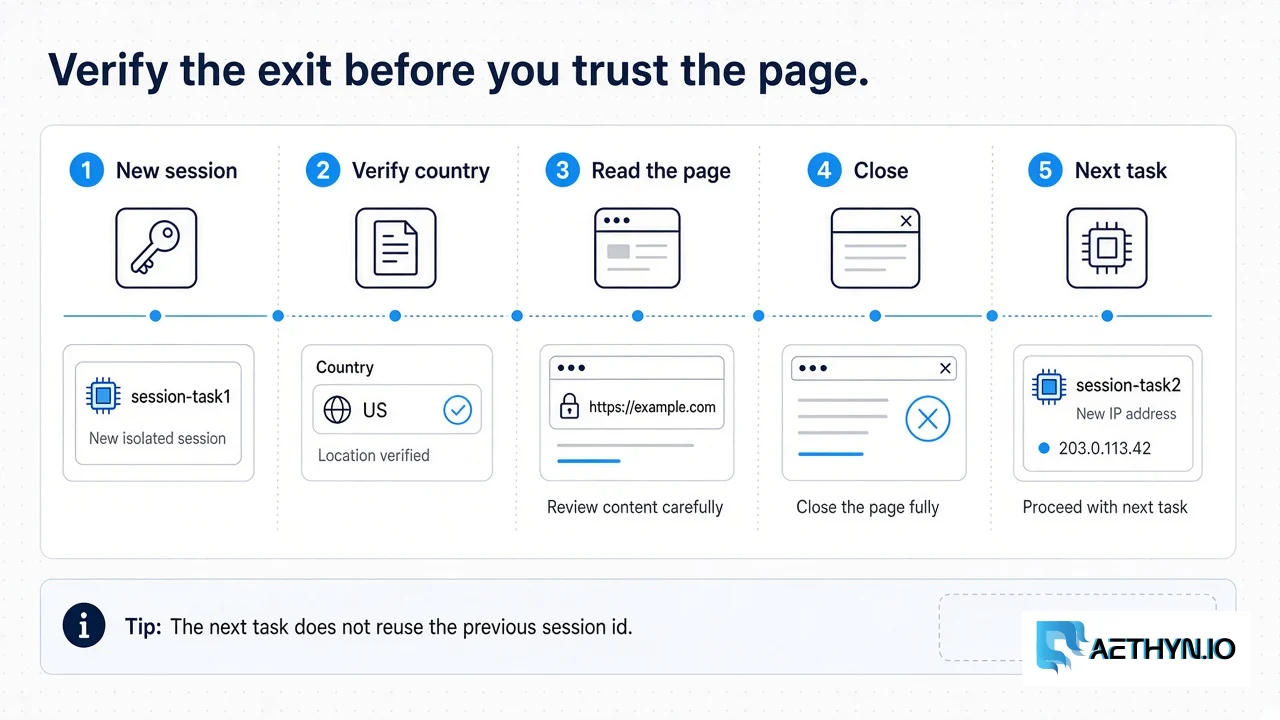
Five stations: new session, verify country US, read the page, close, then the next task on session-task2
Verify the country before the page. The next task does not reuse the previous session id.

Premium or Elite for this job?

This use case usually needs Elite — higher-reputation exits plus city and ISP targeting. Premium still works for volume on easier hosts.

Pool chooser

Premium for volume. Elite when anti-bot is the job.

PremiumElite
TargetingCountryCountry, city, ISP
SessionRotating or stickyRotating or sticky
Best forScale crawls, SEO, pricingCloudflare, Akamai, DataDome

Use Case FAQ

What is a residential proxy for AI agents?
It is the household exit one agent task keeps until that task closes. Premium HTTP on port 2099 targets a country. Elite HTTP on port 5499 adds a supported city or ISP. The next task gets a new session id.
Should each task rotate?
Not while the task is open. Rotation between tasks is fine when each task launches with its own session id. Changing exits inside a live browser or a live cookie jar splits one job across two households.
How long does the sticky session last?
The hold is 1–1440 minutes. The default is 30 if you omit -lifetime-N. Set it at least as long as the task. When the window ends, the next connection on that session id can draw a new exit. Close the task instead of assuming the IP stayed pinned.
Where is the browser setup?
The Browser MCP docs and the two MCP articles cover the local browser tools. This page does not replace them. It chooses the pool and the session rule: one sticky exit per task, public pages only.
Share this use case

Start Scaling AI Browser Agents

Get access to clean residential IPs and route your first ai browser agents workflow through Aethyn.

Related guides

Related resources

Back to all use cases