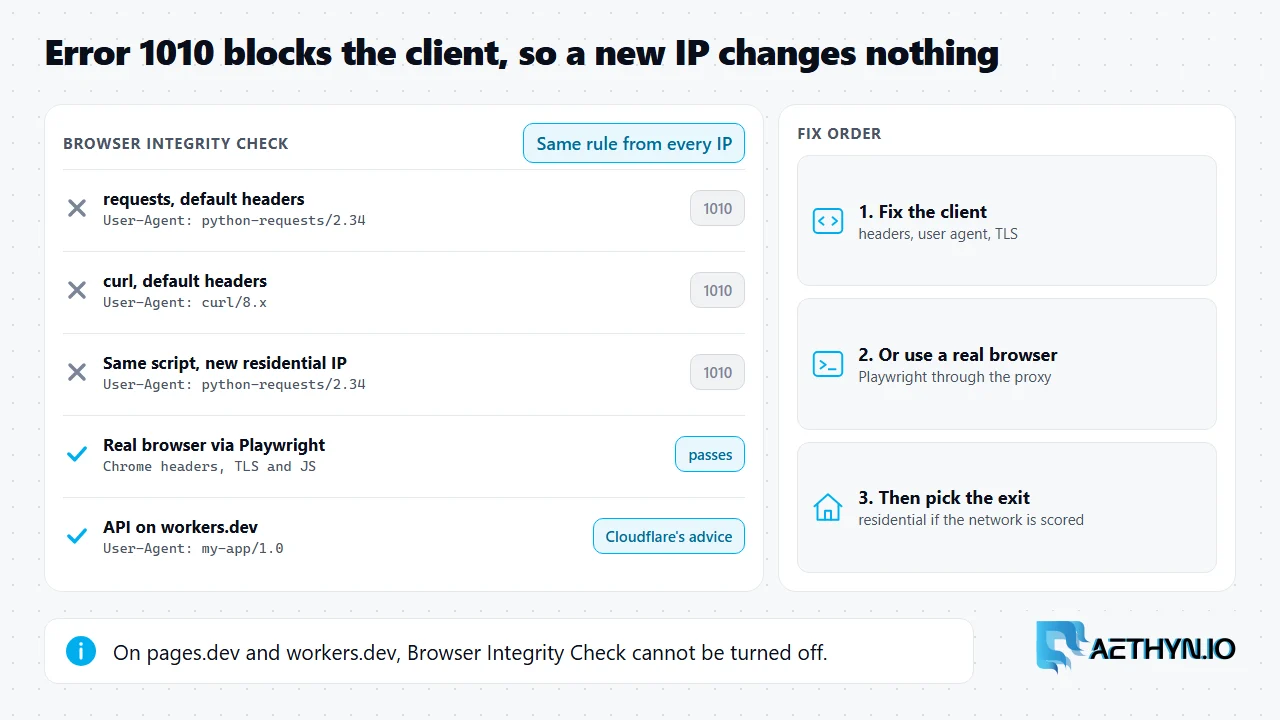
Short answer: Cloudflare error 1010 means the site blocked your request because of the browser signature of the client that sent it. Cloudflare's own wording is "The owner of this website has banned your access based on your browser's signature," and it is served with HTTP status 403. The usual mechanism is Browser Integrity Check, a Cloudflare setting that rejects requests whose headers look like a script instead of a browser, for example a library's default user agent. Unlike error 1005, which blocks a network, 1010 blocks the client. That matters for anyone scraping through proxies: rotating to a new IP, even a residential one, sends the same signature from a new address and gets the same 1010. The fix is to change what the client looks like, then choose the exit. If you own the site, Cloudflare lets you turn Browser Integrity Check off, except on pages.dev and workers.dev.
What triggers 1010
Cloudflare lists two common causes. The first is that the site owner blocked requests based on the client's browser, usually with Browser Integrity Check switched on. The second applies to pages.dev and workers.dev hostnames and to custom domains of Pages projects. There, Browser Integrity Check always runs and cannot be turned off by the owner or by Cloudflare support, so a request with a non-browser user agent, such as Python's default urllib one, gets 1010 even when the site owner never configured anything.
| Client | What Cloudflare sees | Likely result |
|---|---|---|
Python requests or urllib with default headers | A library user agent and no browser headers | 1010 where Browser Integrity Check is on |
curl with default headers | curl/… user agent | 1010 where Browser Integrity Check is on |
| Script with a descriptive user agent on pages.dev or workers.dev | An identified application | Cloudflare's recommended setup for API clients |
| A real browser driven by Playwright | A browser's headers, TLS and JavaScript | Passes Browser Integrity Check |
Why changing the proxy does not clear it
A proxy changes the network address a site sees, not the request your code builds. Browser Integrity Check inspects the request itself: the user agent, the headers that should travel with it, and whether they are consistent. A script that sends python-requests as its user agent sends it from every exit, so cycling through residential IPs gives you many addresses with the same rejected signature, and spends bandwidth on block pages. Fix the client first. For an API on pages.dev or workers.dev, Cloudflare's own advice is to send a descriptive user agent that names your application, such as my-app/1.0; it does not need to pretend to be a browser. For a site that expects human visitors, use a real browser, for example Playwright through a residential proxy, and keep the user agent and TLS fingerprint consistent. After that, a residential exit helps when the site also scores the network.
Tell 1010 apart from other blocks
The same helper from the 1005 guide reads the code from the block page, so you can route each failure to the right fix instead of retrying blindly.
Code Snippetimport re

import requests

proxy = "http://aethyn-XXXXX-country-us:PASSWORD@proxy.aethyn.io:2099"
proxies = {"http": proxy, "https": proxy}


def cloudflare_code(resp):
    """Return the Cloudflare 1xxx code on a block page, or None."""
    if resp.status_code != 403 or "cloudflare" not in resp.headers.get("Server", "").lower():
        return None
    text = re.sub(r"<[^>]+>", " ", resp.text)  # block pages split "Error" and the code
    match = re.search(r"error\s*(?:code:?\s*)?(10\d\d)", text, re.I)
    return match.group(1) if match else None


r = requests.get("https://example.com/", proxies=proxies, timeout=30)
code = cloudflare_code(r)
if code == "1005":
    print("ASN banned: the network you exit from is blocked")
elif code == "1010":
    print("Browser signature banned: fix the client, not the IP")
elif code:
    print(f"Cloudflare error {code}")
else:
    print(r.status_code, "no Cloudflare 1xxx block")
The code on this page was run on November 22, 2026 against a local stand-in proxy that checks the login (Chromium 149, requests 2.34, Selenium 4.53, Puppeteer 25.18), not against live targets or the Aethyn gateway. Replace aethyn-XXXXX and PASSWORD with your own credentials.
If you own the site
Cloudflare's resolution for owners is to turn off Browser Integrity Check in Security Settings, or to skip it for specific traffic with a custom rule or configuration rule. That option does not exist for pages.dev and workers.dev hostnames or Pages custom domains. For a Worker, Cloudflare suggests serving it on a Custom Domain or route instead, where the rule can be skipped.
Cloudflare error 1010 questions
What does Cloudflare error 1010 mean?
Will a residential proxy fix error 1010?
Why do I get 1010 on a pages.dev or workers.dev site?
How do I fix 1010 on my own site?
Guides, integrations & docs
Continue reading
Cloudflare Error 1005 (ASN Banned): What It Means and How to Fix It
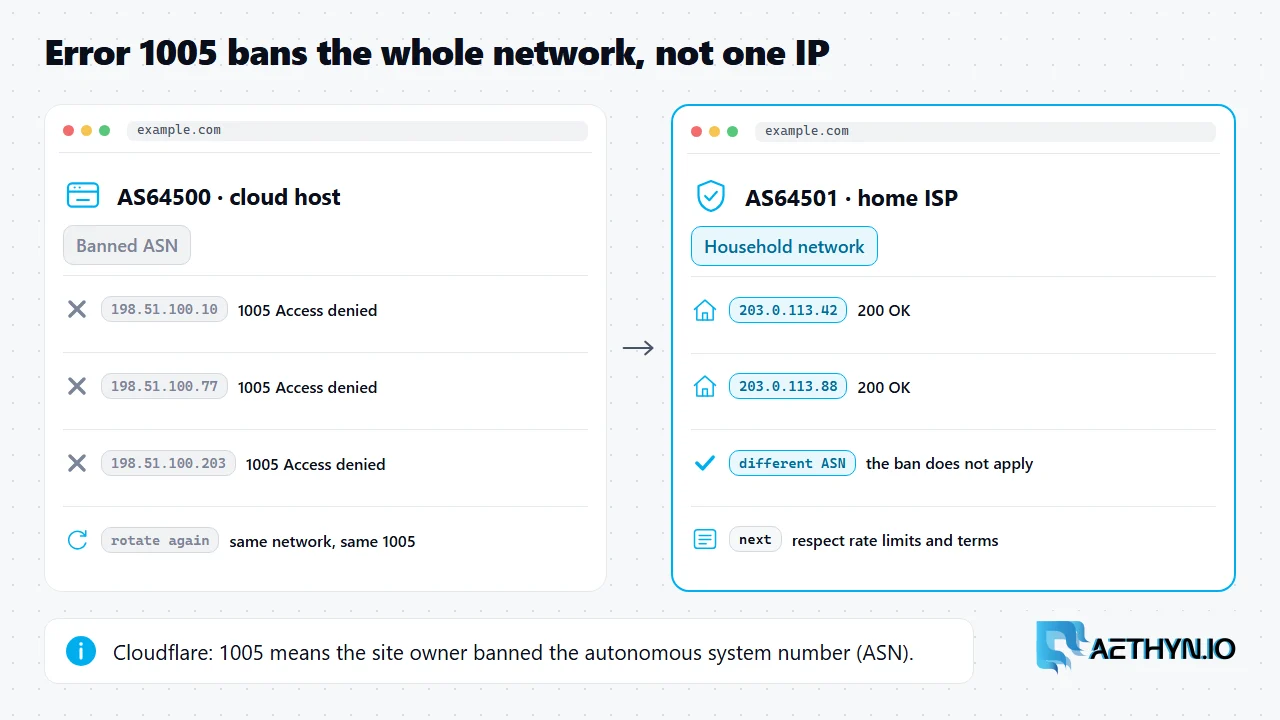
Cloudflare error 1005 means the site owner banned the network your IP belongs to, its ASN. A new IP on the same network does not help. A different network does.
What a User-Agent Is for Web Scraping (2026)
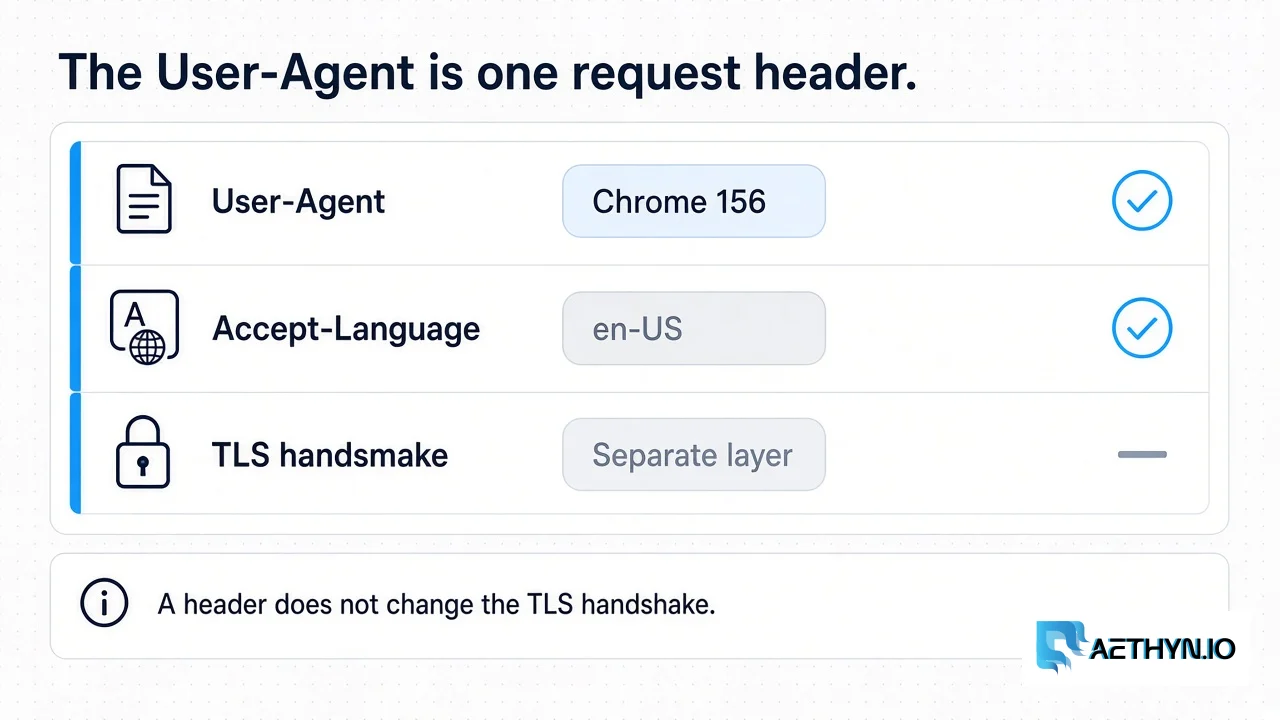
The User-Agent is one request header. It names a browser. It does not change the TLS handshake, and a list of agents is not a success rate.
TLS Fingerprinting (JA3/JA4) Explained for Web Scrapers (2026)
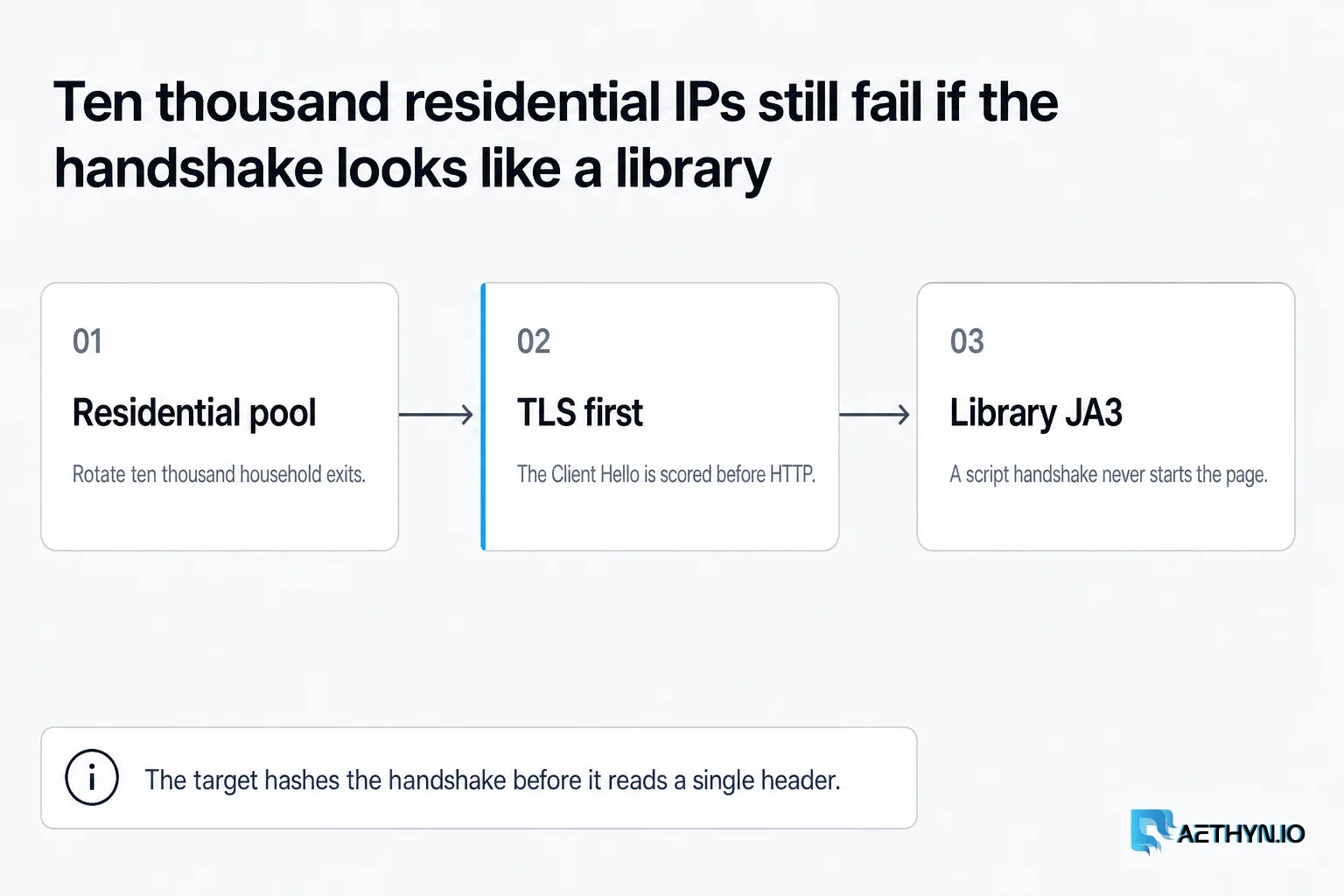
Anti-bot systems fingerprint your TLS handshake — not just your IP. Learn what JA3 and JA4 measure and how to pass checks with browsers and Elite residential proxies.
Fix the client, then pick the exit
Once the client looks like a browser, a residential exit keeps the network side clean. Premium from €2.00/GB, Elite from €4.50/GB.